Version 5.1 · 391 nodes · 9 interface languages

Camera to inference to PLC — wired, not coded.

Cameo Image Studio is a node-graph workbench for machine vision. Drag a camera node, wire it into GPU inference, wire that into a PLC or a motion axis, and watch the whole line run — without writing a build script. When you do need code, the graph exports to C++, Python or a standalone EXE.

Windows 10/11 64-bit only. The installer is large — it ships the CUDA, PyTorch, OpenCV and ONNX Runtime binaries so the machine you install on needs no separate setup.

391nodes in the catalogue
9interface languages
5camera vendors supported
C++ · Pygraph exports to code

What the graph can do

Five capabilities that normally live in five separate tools, on one canvas.

Node graph

One canvas, 391 nodes

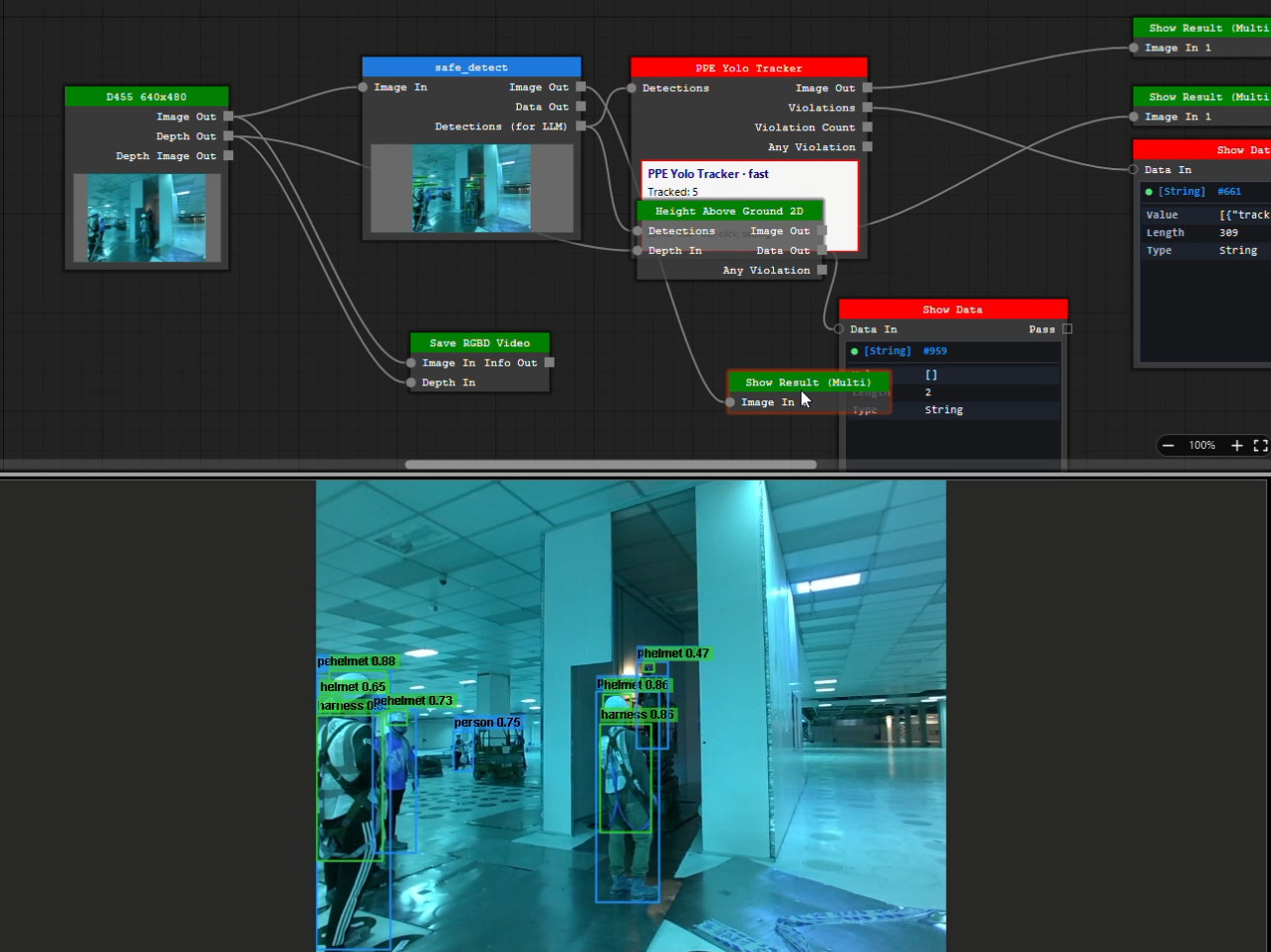
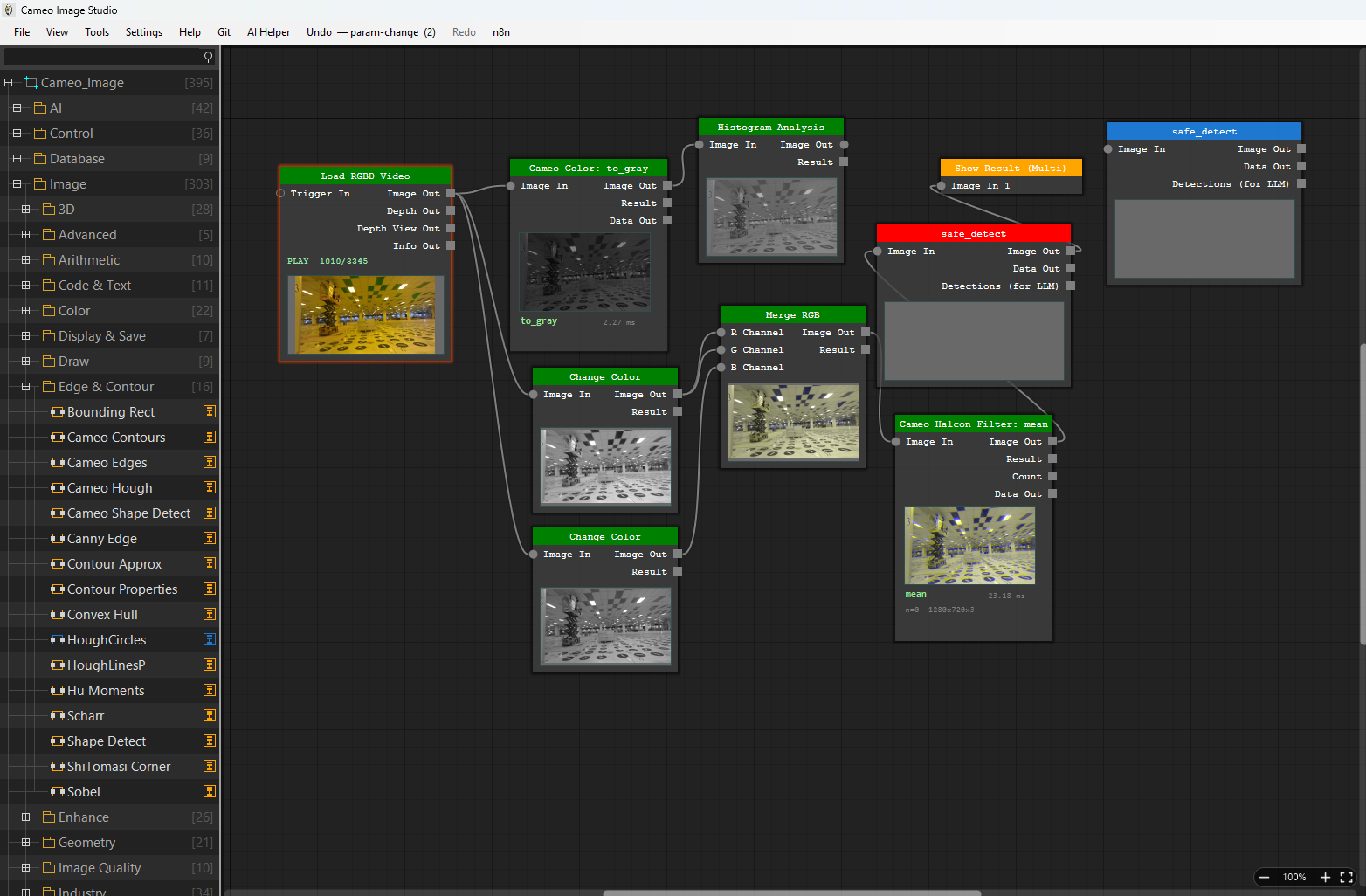
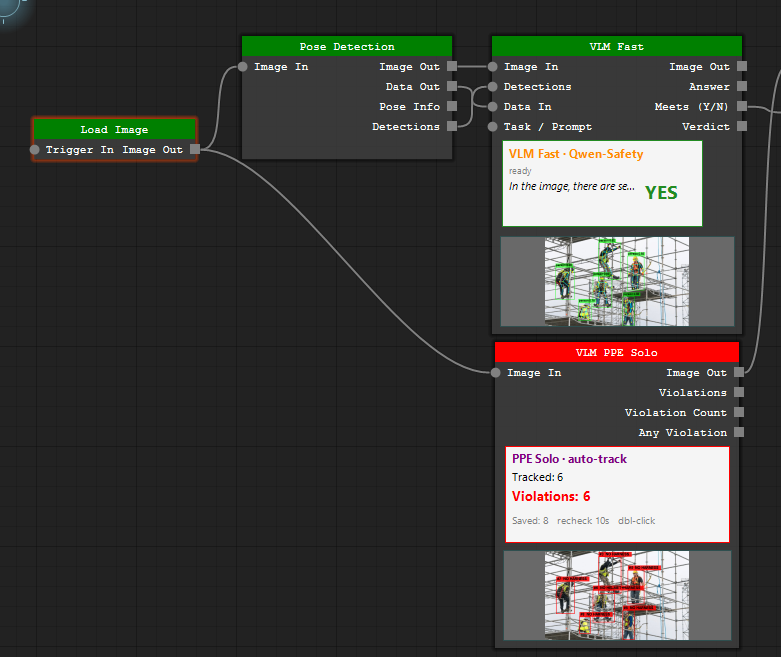
Every operation is a node with typed ports: load an image, threshold it, find blobs, run a detector, gate on distance, write a coil. Wires carry frames, detections, poses, depth maps and numbers. Nodes preview their own output on the body, so you see where a pipeline goes wrong without stopping it.

  • Free-run threading — the pipeline keeps its frame rate while you edit
  • Undo, autosave and crash recovery on the graph itself
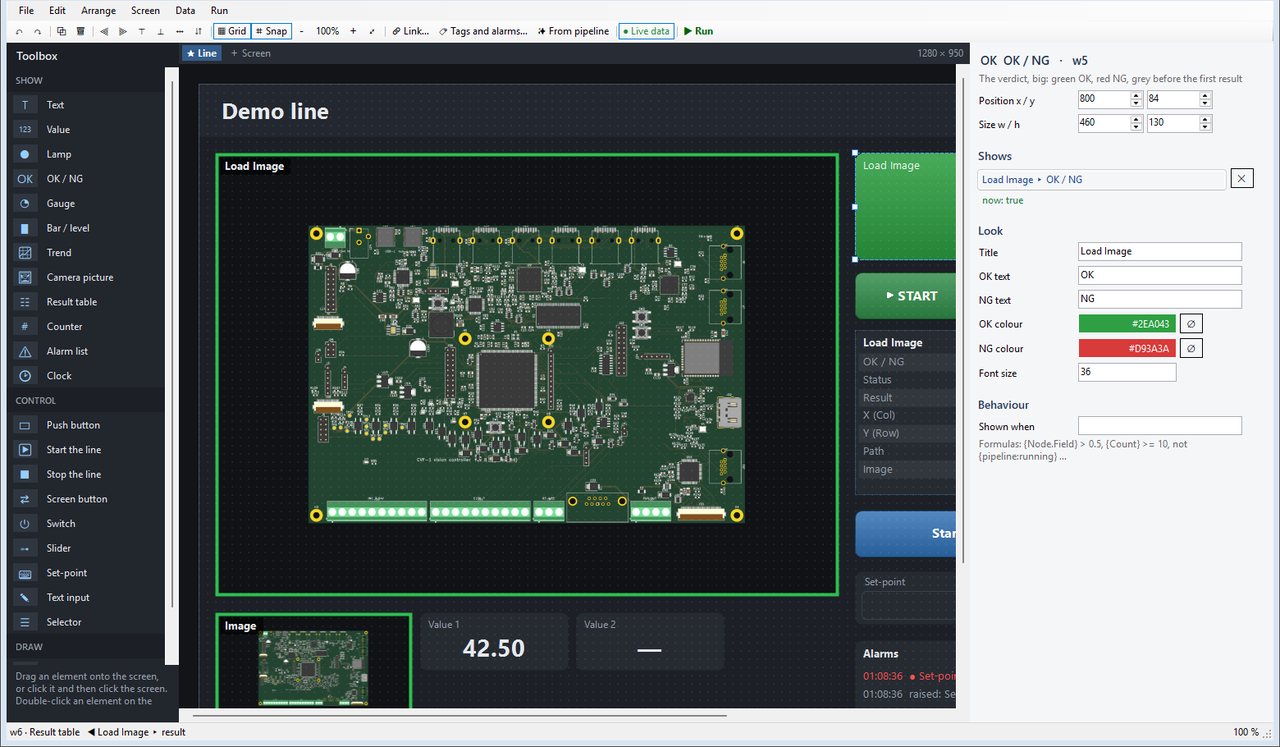
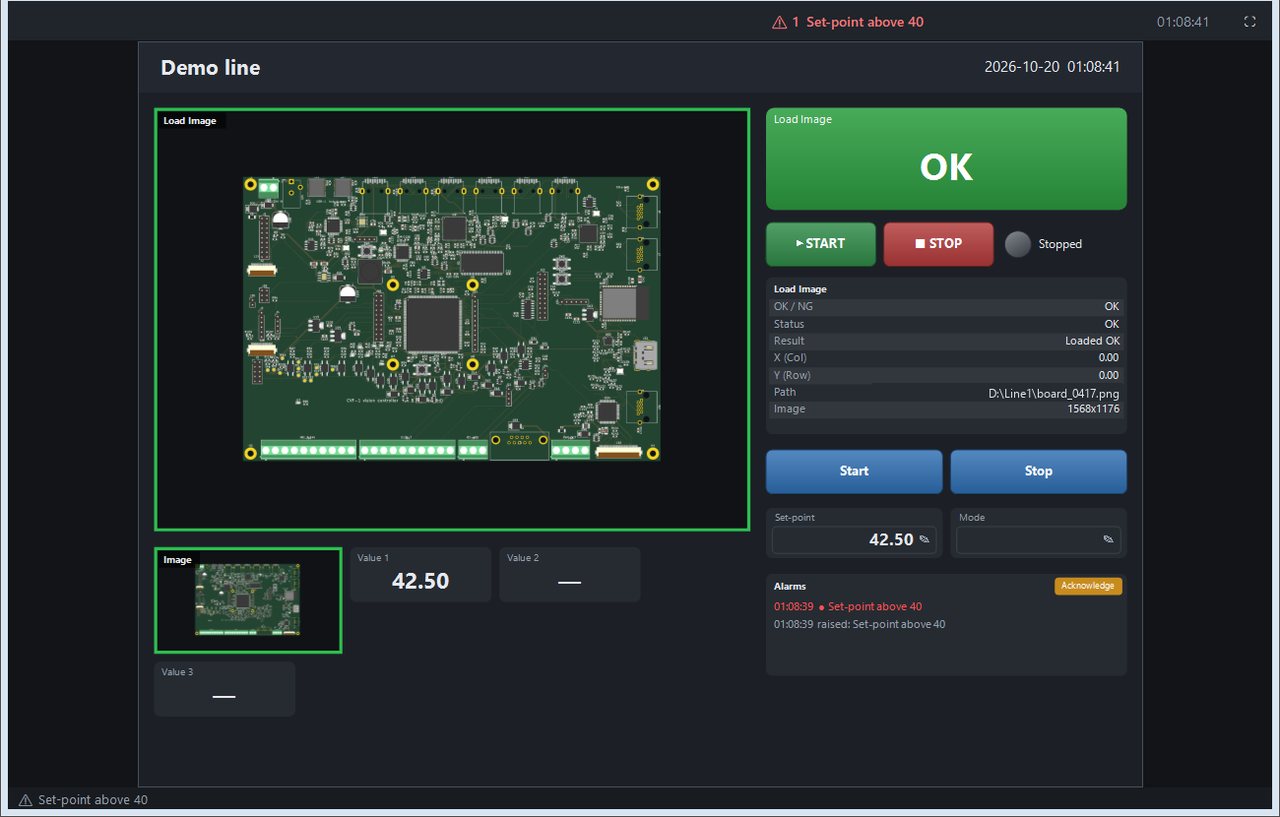
  • Run Mode: a locked, read-only operator screen with a results dashboard
Node graph editor
Labeling

Label datasets where you use them

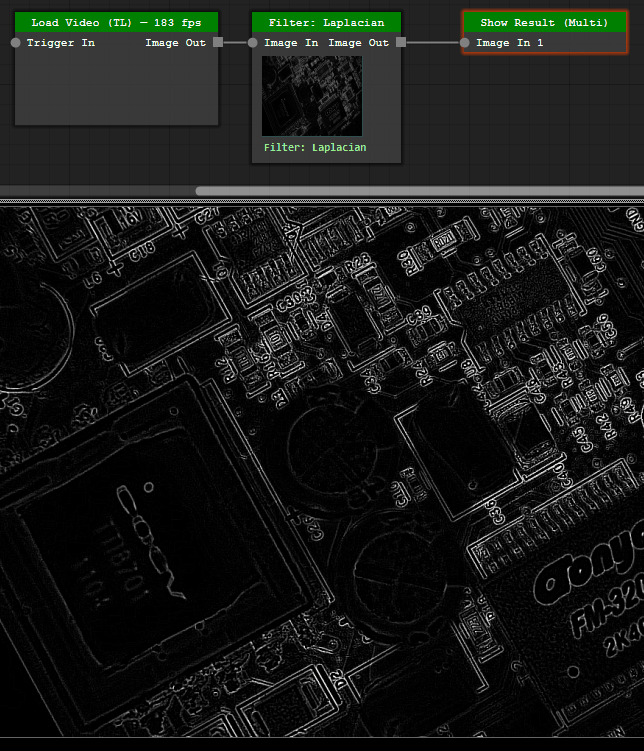
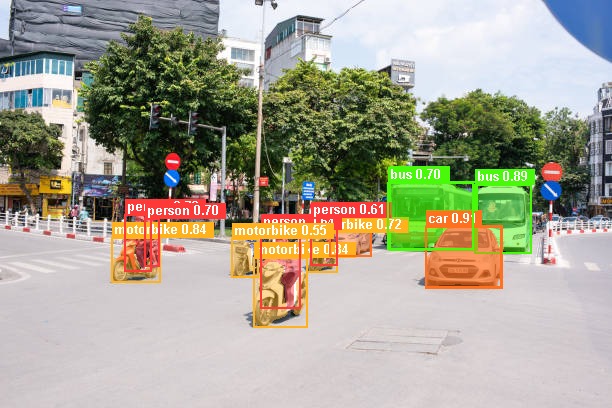
Annotate boxes and polygons, export to YOLO or COCO layout, and feed the result straight into a training node in the same project. Text-prompted segmentation (Grounded SAM) can pre-label a batch before a human touches it.

  • Bounding box, polygon, class filter with per-class confidence
  • Detects a LabelMe install and hands off to it when you prefer that tool
  • Frame stacking, crop-per-detection and super-resolution as dataset nodes
Dataset labeling
Neural networks

Draw the network, then train it

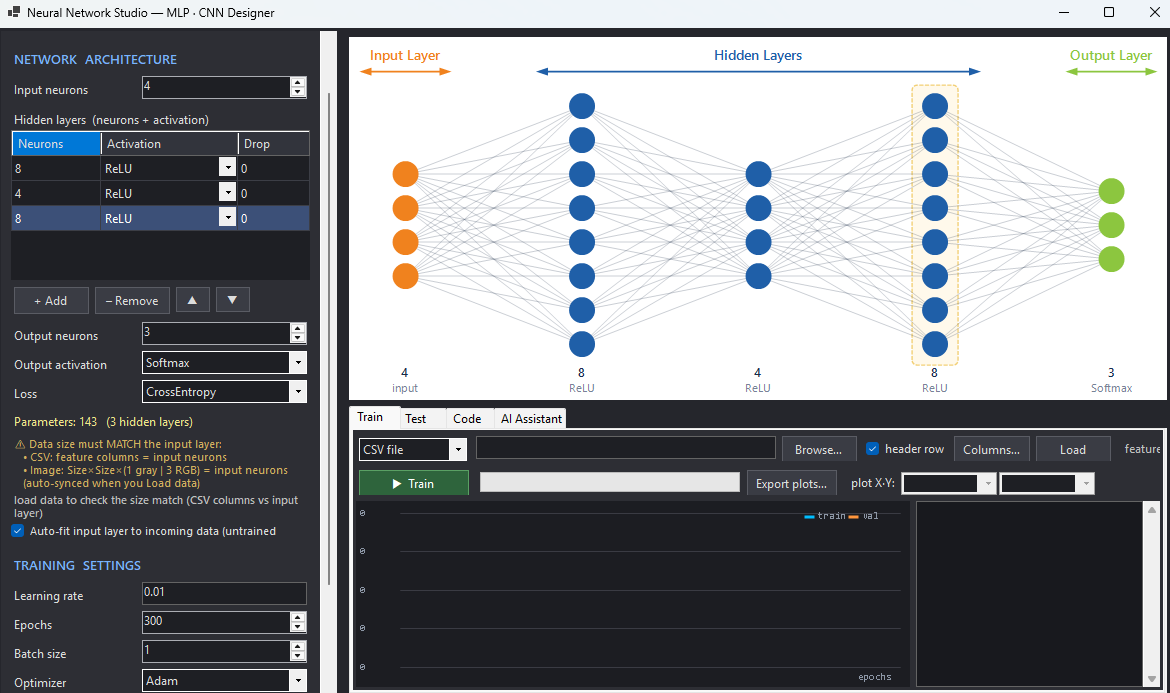
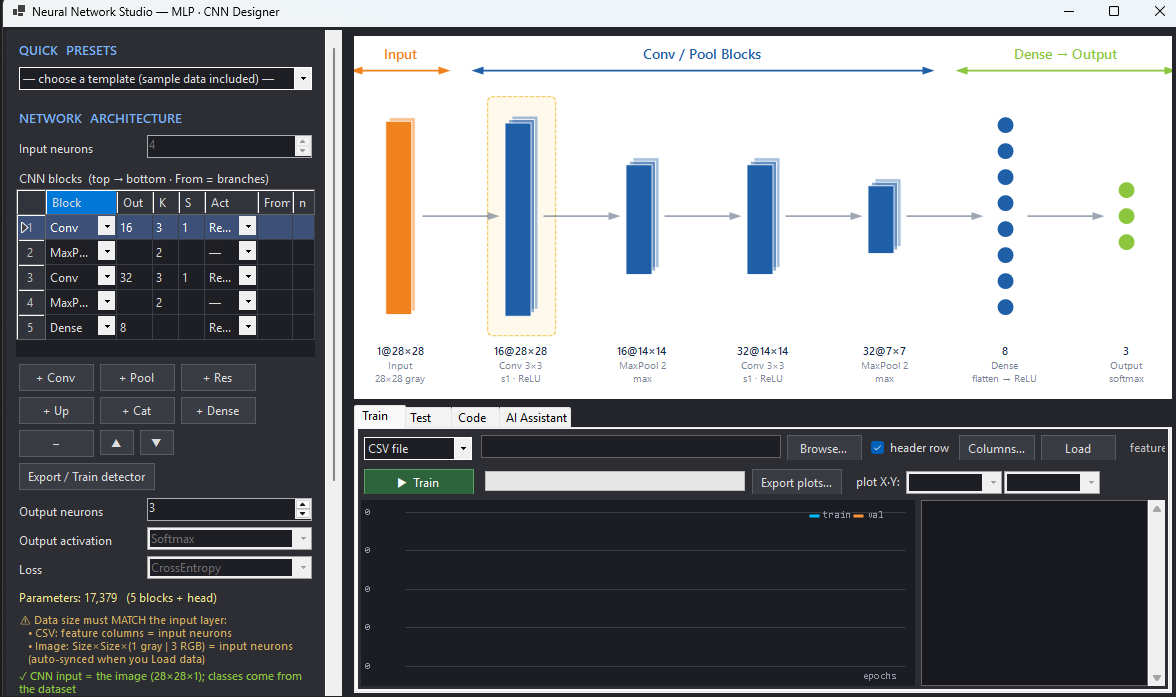
A graphical designer for MLP and CNN layers, plus a YOLO-style block table that exports the same YAML the training toolchain expects. Load .onnx or .pth weights, run inference on the GPU, quantise to INT8 for an STM32 target.

  • ONNX Runtime with CUDA, falling back to CPU when no GPU is present
  • Detection, segmentation, pose, depth, anomaly detection and OCR nodes
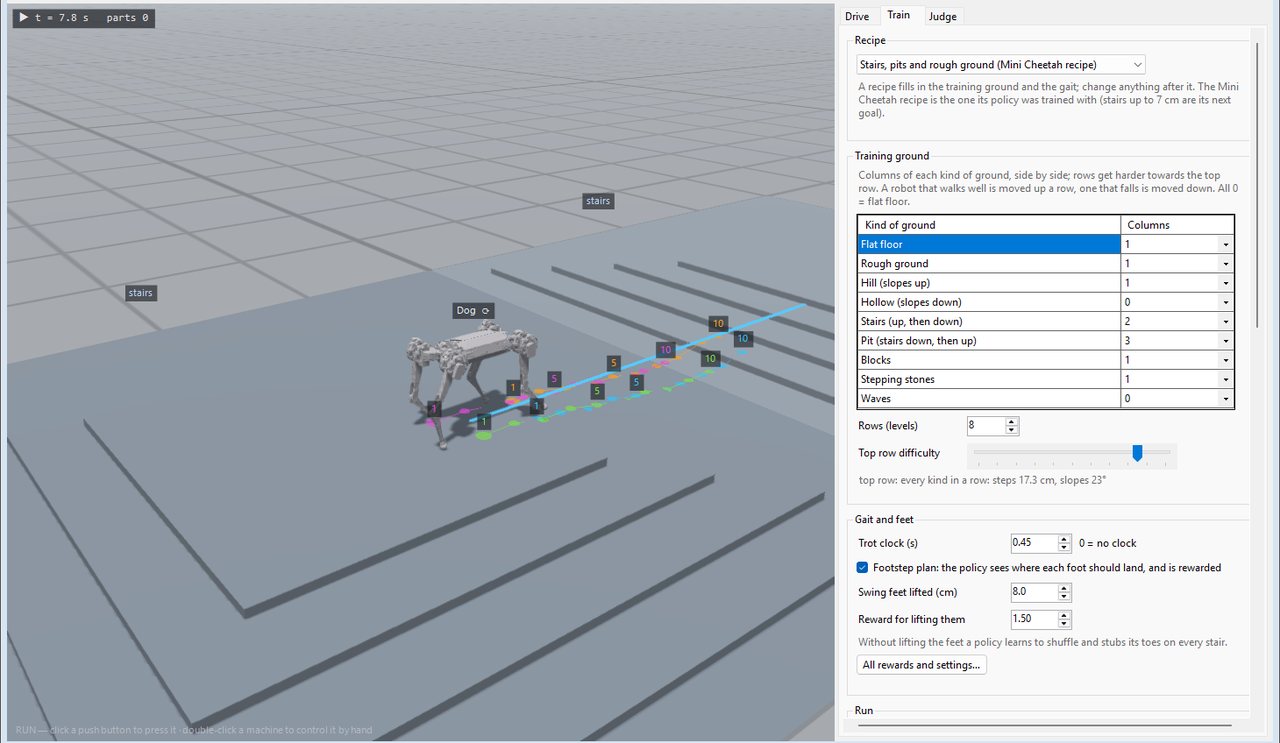
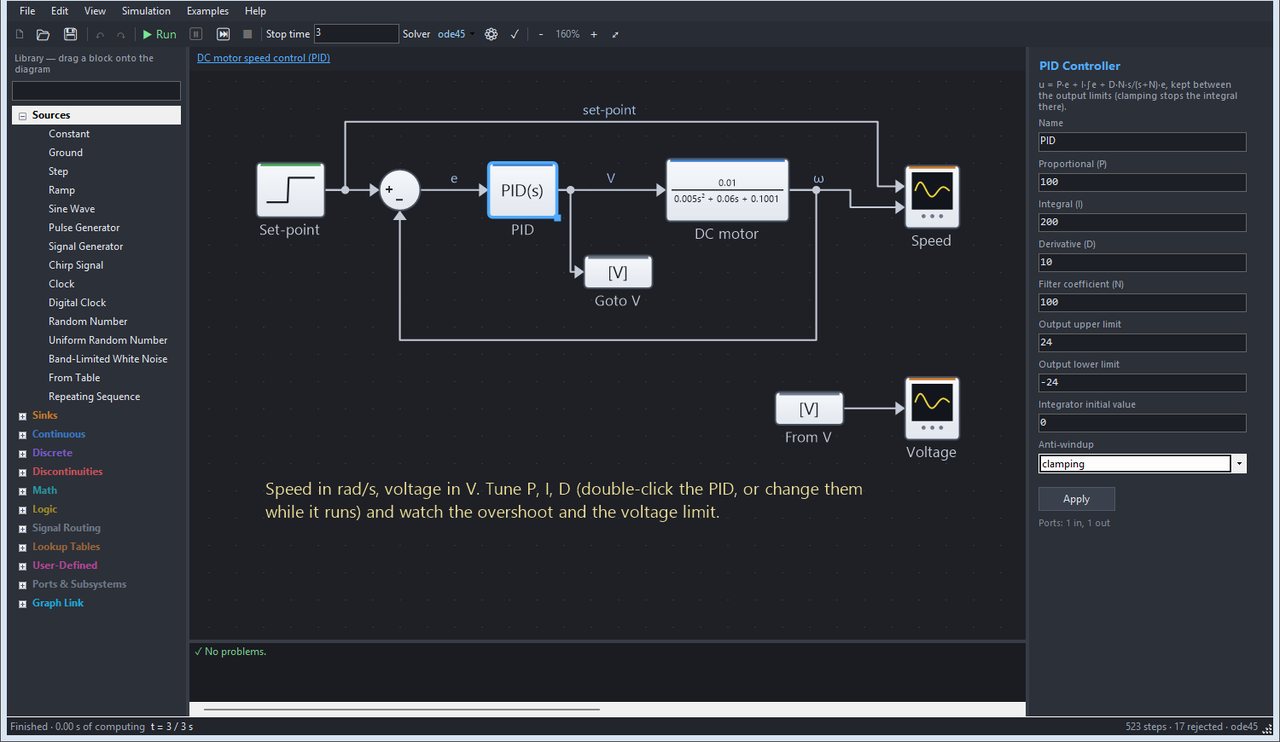
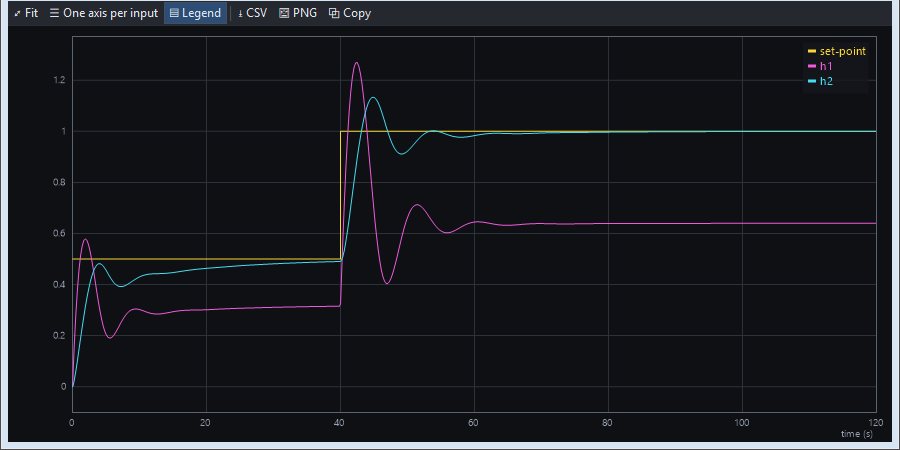
  • Reinforcement-learning studio with 12 classical methods for tuning loops
Neural network designer
Control

The result has to move something

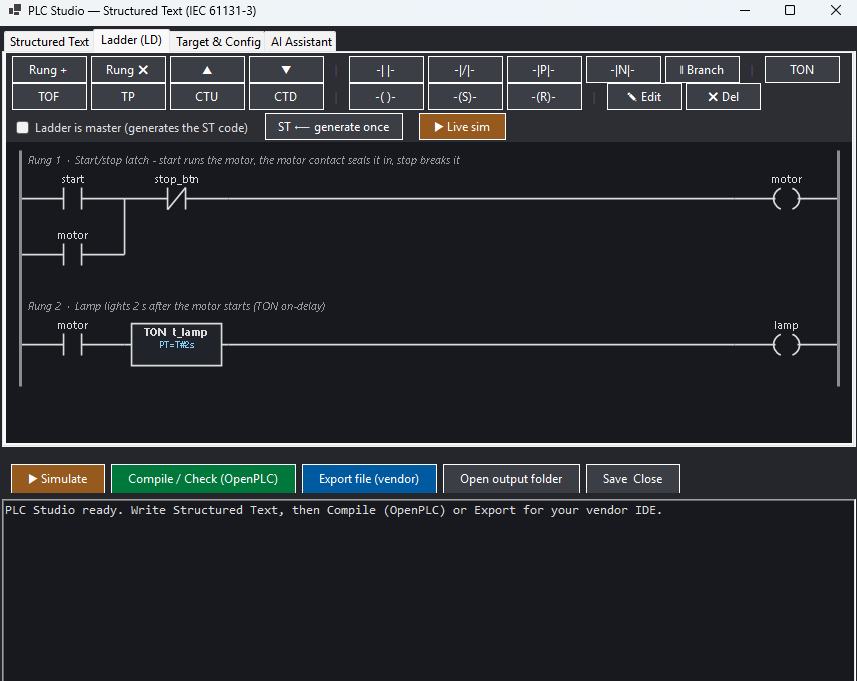
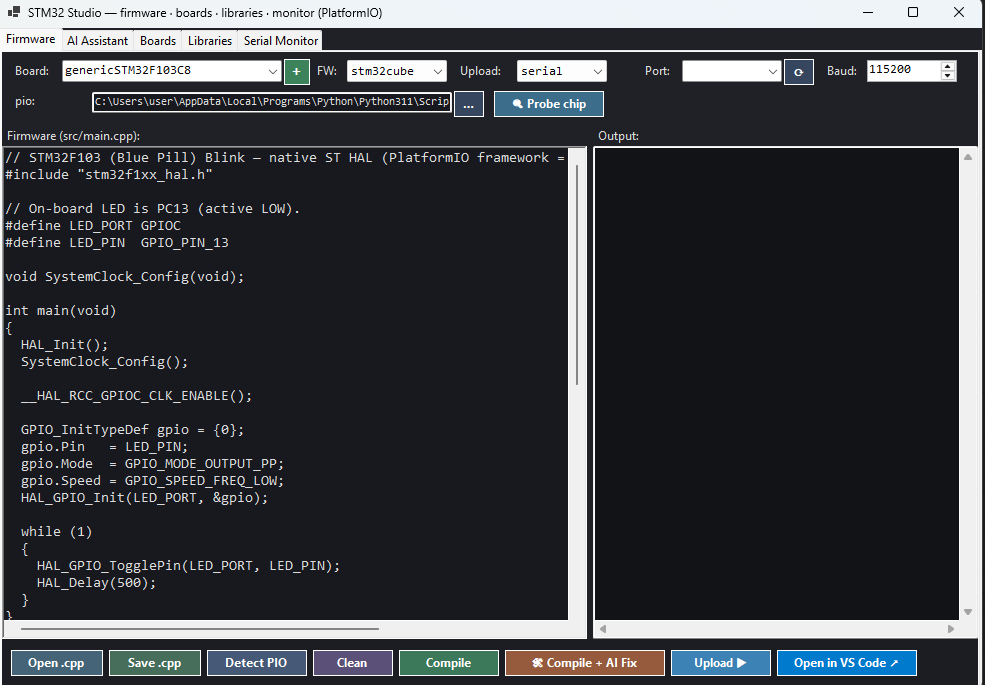
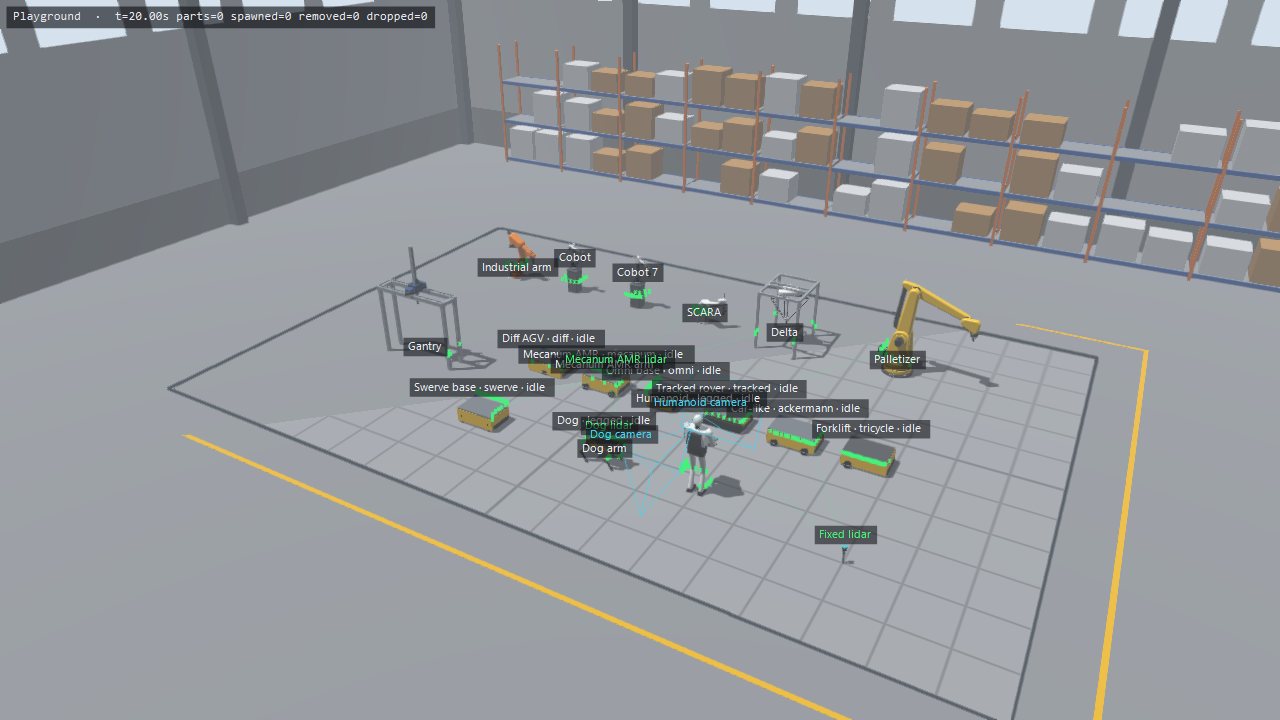
Vision that cannot actuate is a demo. Wire a verdict into a PLC coil, a motion axis, a GPIO on a microcontroller or an MQTT topic. Firmware for STM32 and Arduino is generated, compiled and flashed from inside the app.

  • PLC: Mitsubishi MC · Siemens S7 · Omron FINS · Modbus TCP · TwinCAT ADS
  • Motion: GRBL, Modbus and ADS axes, soft motion, nine-point calibration
  • MCU/FPGA: STM32 (PlatformIO), Arduino (arduino-cli), Verilog (Vivado / Quartus)
Hardware control nodes
AI assistant

Describe the inspection, get the graph

The built-in assistant reads the node catalogue and builds pipelines from a sentence. It can see the frames your nodes produce, attach an image or a PDF spec, run the pipeline and read back the result — then change parameters and try again.

  • Creates nodes, wires them and sets parameters, with validation and rollback
  • Writes custom C# nodes for steps the catalogue does not cover
  • Runs against a licensed server — a per-machine key, no API key to manage
AI assistant

What it talks to

Verified in the shipping build. Anything not listed here is not claimed.

Cameras & sources

  • Hikvision MVS (GigE / USB3)
  • Basler pylon
  • The Imaging Source (GigE)
  • MindVision USB
  • Intel RealSense (colour + aligned depth)
  • RTSP · MJPEG · HLS · HTTP
  • Image folders and video files

Control & fieldbus

  • Mitsubishi MC protocol
  • Siemens S7
  • Omron FINS
  • Modbus TCP / RTU
  • Beckhoff TwinCAT ADS / EtherCAT
  • GRBL motion
  • MQTT · HTTP request

Code & firmware targets

  • C++ standalone project
  • Python (runs on Linux)
  • Headless EXE deployment
  • STM32 (PlatformIO)
  • Arduino (arduino-cli)
  • Verilog / HLS (Vivado, Quartus)
  • IEC structured text and ladder for PLCs

Download

Two forms of the same release. Pick by how you plan to move it.

Split installer

12 parts

The same release cut into roughly 2 GB slices, for USB sticks, unstable links and resumable transfers. Keep every part in one folder, then run the setup executable.

Size
Files
Download all parts

All parts must be present. The setup executable refuses to run with a slice missing.

Not code-signed yet. Windows SmartScreen will warn you on first run. Check the SHA-256 above against your download before you click through that warning — that check is what a signature would have given you.

Request an activation key

The application runs offline, but the AI assistant is licensed per machine. Install first, open Tools ▸ AI Settings, copy the Machine ID it shows, and send it with this form.

Shown in Tools ▸ AI Settings, or by running Cameo_Image.exe --ai-check. Leave this blank if you have not installed yet — we will send instructions instead.

Used only to issue and support your licence. Not passed to anyone else.

System requirements

Windows only. There is no macOS build, and the Linux port is not released yet.

Item Minimum Recommended
Operating system Windows 10 64-bit Windows 11 64-bit
CPU 4 cores, x86-64 8 cores or more
RAM 8 GB 16 GB or more
GPU None — inference falls back to CPU NVIDIA RTX 3060 or better, current driver
Disk 30 GB free (SSD) 60 GB free for datasets and recordings
Bundled with the installer Visual C++ x64 runtime, Microsoft Edge WebView2, CUDA and cuDNN libraries, PyTorch, OpenCV, ONNX Runtime and an embedded Python environment. Nothing else to install.

Questions

Why is the installer so large?

Because it carries the whole runtime: CUDA and cuDNN, PyTorch, OpenCV with GPU support, ONNX Runtime and a complete Python environment. An industrial PC on a shop floor usually has no internet access and no toolchain, so the installer assumes nothing is already there.

Do I need a key to use the application?

The vision pipeline runs without one. The AI assistant is licensed per machine: you send the Machine ID shown in the app and receive a key bound to that computer. A key issued for one machine will not work on another.

Is the download signed?

Not yet. Code-signing certificates are being arranged. Until then, verify the SHA-256 hash published next to the download — it detects a tampered or truncated file just as reliably.

What format are project files?

Projects save as plain .json: nodes, parameters and links, readable in any text editor and easy to keep in version control. The .mcameo extension you may see is a separate tensor container used for model weights, not a project.

Can it run without a GPU?

Yes. Detection and segmentation fall back to CPU automatically. Expect a large speed difference — heavy models are usable on CPU for testing, not for line rate.

Is there a macOS or Linux build?

No macOS build exists. A Linux port is under development and is not released; the practical route to Linux today is to export a pipeline as Python or C++ from the Windows application and run that on the target.